


Description
Download Duplicates Expert – Fast Duplicate File Finder & Remover
Introduction: Why You Need a Dedicated Duplicate Cleaner
In today’s data‑driven world, hard drives, SSDs, and external storage devices fill up quickly. Most users discover, often too late, that a significant portion of that space is wasted on duplicate files – identical photos, music tracks, documents, or backup copies that serve no practical purpose. Duplicates Expert steps in as a purpose‑built solution that not only finds these redundant files but also visualizes their impact on storage and streamlines the clean‑up process. Unlike generic file managers that require manual inspection, this tool offers a graphical chart that instantly shows how much space each group of duplicates occupies, empowering you to make informed decisions. Whether you are a home user trying to reclaim gigabytes for new media, a photographer managing thousands of raw images, or an IT professional maintaining multiple servers, the speed, accuracy, and user‑friendly interface of Duplicates Expert make it an indispensable addition to your software toolbox. The program supports simultaneous scanning of several folders or entire drives, provides smart clean‑up recommendations, and ensures that the removal process is safe, preventing accidental deletion of unique files. In short, it transforms a tedious, manual task into a quick, visual, and reliable workflow, keeping your digital environment tidy and efficient.
Key Features that Set Duplicates Expert Apart
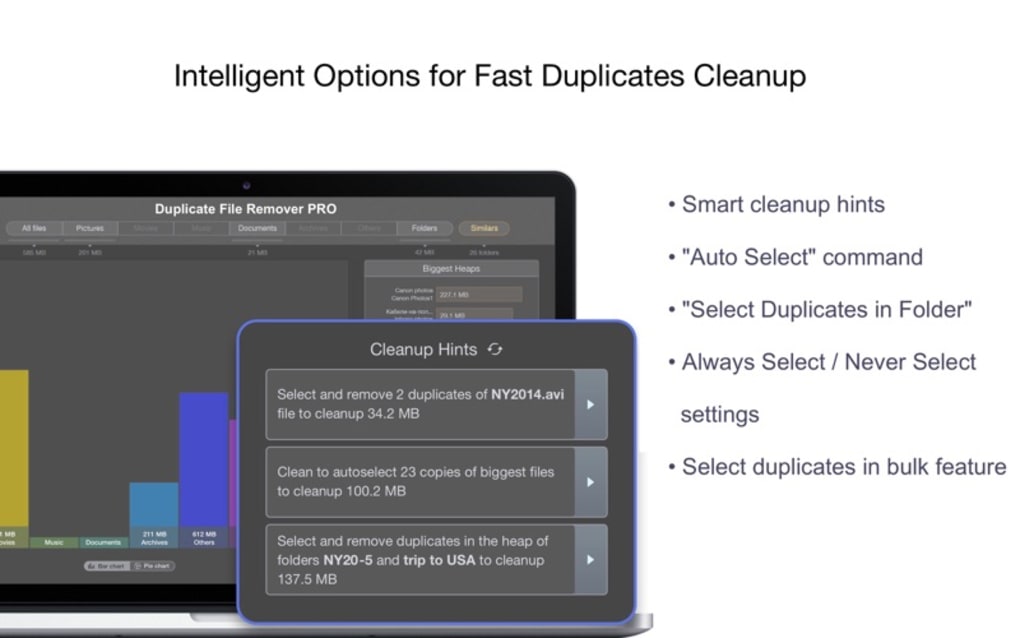
- Visual Duplicate Map: A dynamic chart that displays duplicate clusters, allowing you to see at a glance which file types consume the most space.
- Multi‑Folder & Multi‑Drive Scanning: Scan several directories, external hard drives, or network shares in one operation, saving time and effort.
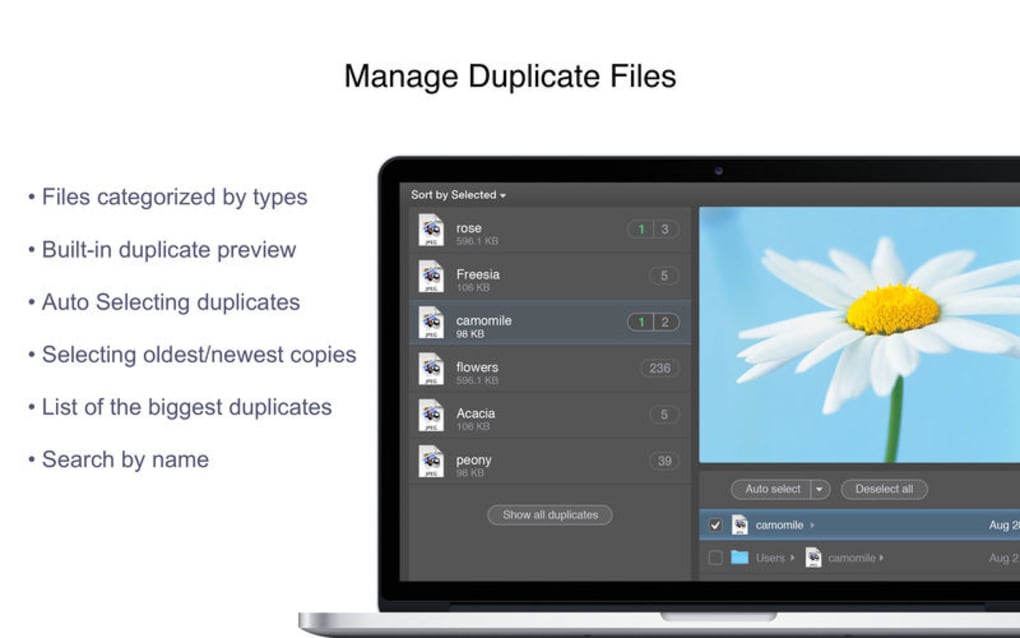
- Smart Clean‑Up Recommendations: The software analyses each duplicate set and suggests the optimal file(s) to keep based on size, date, and location.
- Fast, Multi‑Threaded Engine: Utilises all CPU cores to accelerate the scanning process, delivering results in minutes even on large drives.
- Secure Deletion Options: Choose between moving files to the recycle bin, permanently deleting them, or creating a backup folder before removal.
- Customizable Filters: Exclude specific file extensions, set size thresholds, or ignore particular folders to fine‑tune the search.
- Report Export: Generate CSV or HTML reports for audit purposes or to share findings with teammates.
- Automatic Updates: Stay protected with regular, free updates that improve detection algorithms and add support for new file formats.
Each feature is designed with the end‑user in mind, ensuring that the software remains both powerful and approachable. The visual map, for example, eliminates the guesswork often associated with duplicate detection tools; you can instantly spot a folder holding 5 GB of duplicated videos and decide whether to keep or discard them. Meanwhile, the multi‑threaded engine guarantees that even users with massive 4‑TB libraries experience minimal wait times. The inclusion of secure deletion options also addresses a common concern: the risk of inadvertently erasing unique data. By offering a reversible recycle‑bin move, Duplicates Expert adds a safety net that many free alternatives lack. Together, these capabilities create a comprehensive, professional‑grade experience that is still accessible to casual users.
Installation, Usage & Compatibility
Step‑by‑Step Installation Guide
Installing Duplicates Expert is straightforward and takes only a few minutes. First, download the
installer from the official website. The file is a small .exe for Windows or a .dmg
for macOS. Run the installer and follow the on‑screen prompts:
- Accept the End‑User License Agreement.
- Select the destination folder (default is
C:\Program Files\DuplicatesExpert). - Choose whether to create a desktop shortcut.
- Click Install and wait for the progress bar to complete.
- Launch the application from the Start menu or desktop icon.
The installer also offers an optional component: a background service that automatically scans newly added files on selected drives. This feature is ideal for users who want continuous protection without manual intervention.
How to Run a Scan and Interpret Results
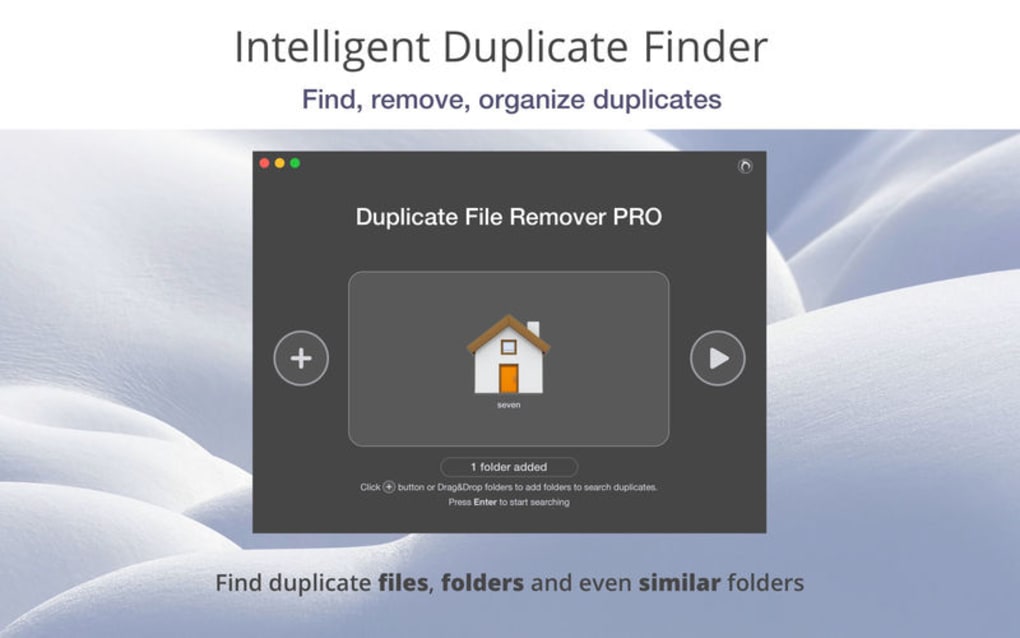
Upon opening the program, you are greeted with a clean dashboard. Click the New Scan button, then add the folders or drives you wish to analyse. You can select multiple locations by holding the Ctrl key (Windows) or Command key (macOS). After configuring any filters—such as excluding system files or limiting the search to files larger than 10 MB—press Start Scan. The multi‑threaded engine begins processing, and a progress bar displays the percentage completed. Once finished, the visual duplicate map appears, grouping identical files into colored clusters.
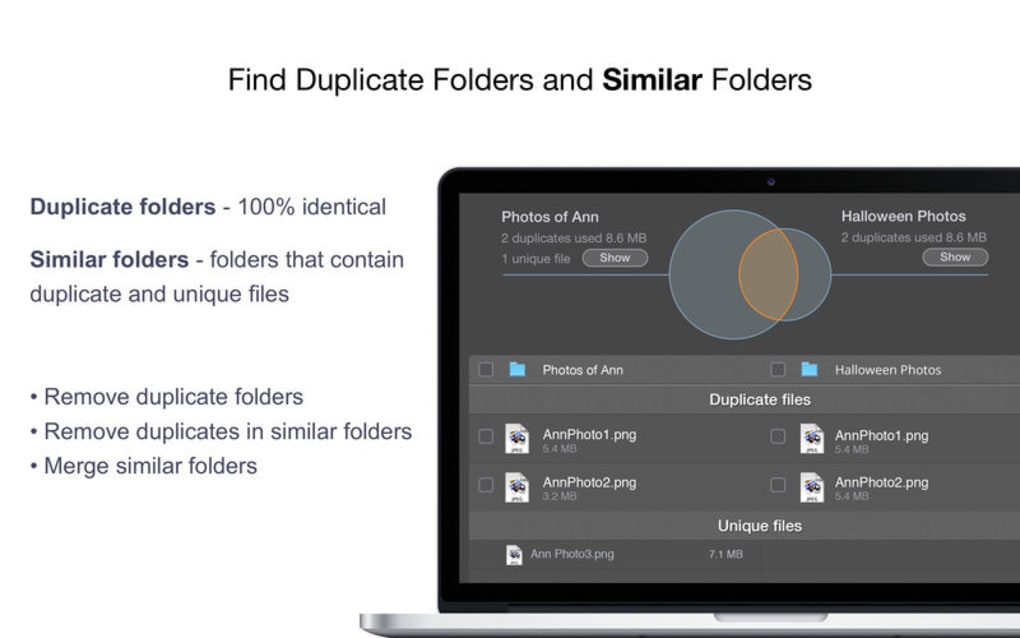
Clicking a cluster expands a list showing each duplicate’s path, size, and creation date. The Smart Clean‑Up pane automatically highlights the recommended file to retain (usually the oldest or the one located in the primary folder). You can then choose to Delete, Move to Recycle Bin, or Copy to Backup Folder. The operation is reversible as long as you keep the backup option enabled.
Supported Operating Systems
Duplicates Expert runs natively on the most common desktop platforms:
- Windows 10, Windows 11 (64‑bit)
- macOS 12 Monterey and later (Intel & Apple Silicon)
While the core engine is optimized for 64‑bit environments, a lightweight 32‑bit version is also available for older Windows machines. The software does not currently support mobile operating systems such as Android or iOS, as its primary use case involves scanning large local or external storage volumes that are typically connected to a desktop or laptop.
Pros, Cons & Frequently Asked Questions
Pros
- Intuitive visual representation of duplicate groups.
- Fast, multi‑threaded scanning even on large drives.
- Smart recommendations reduce the risk of accidental deletion.
- Secure deletion options and optional backup folder.
- Supports simultaneous scanning of multiple drives.
- Regular free updates keep the engine current.
Cons
- No native mobile app for Android or iOS.
- Advanced filtering requires the paid Pro version.
- Initial scan may consume noticeable CPU on older hardware.
Frequently Asked Questions
Can Duplicates Expert recover files that were mistakenly deleted?
The program itself does not provide a recovery engine, but if you choose the “Move to Recycle Bin” option, the files remain in the system’s Recycle Bin and can be restored from there. For permanent deletions, you would need third‑party recovery software.
Is the software safe to use on external hard drives?
Yes. Duplicates Expert reads files in a non‑destructive manner and only modifies or removes files when you explicitly confirm the action. It also supports NTFS, exFAT, and HFS+ file systems, making it suitable for most external drives.
How often should I run a duplicate scan?
For most users, a monthly scan is sufficient to keep storage tidy. If you frequently download large media files or sync multiple devices, consider weekly scans or enable the optional background service that monitors new files in real time.
Does Duplicates Expert work with cloud‑synced folders like OneDrive or Google Drive?
Yes. The scanner treats any mapped folder as a regular directory. However, be aware that deleting duplicates in a synced folder will also affect the cloud copy, so review the changes carefully before confirming.
Is there a free version, and what limitations does it have?
A fully functional trial is available for 14 days with no feature restrictions. After the trial, the free version remains usable but disables advanced filtering, custom reporting, and the automatic background monitoring service, which are reserved for the paid Pro license.
Conclusion & Call to Action
Duplicate files are a silent drain on storage, performance, and even your peace of mind. Duplicates Expert offers a polished, fast, and visually intuitive solution that turns a potentially overwhelming cleanup into a handful of clicks. Its ability to scan multiple drives simultaneously, present results in an easy‑to‑read chart, and provide smart recommendations sets it apart from basic duplicate finders. While it lacks a mobile version and some advanced filters are gated behind the Pro license, the core functionality is robust enough for most home and small‑business users. If you’re ready to reclaim valuable disk space and keep your file library organized, download Duplicates Expert today and experience a cleaner, faster computer.
Download Duplicates Expert now – it’s free to try, secure, and constantly updated.
Duplicates Expert delivers on its promise of quick, visual duplicate detection. The interface is clean, the scan speed is impressive, and the smart clean‑up suggestions saved me hours of manual sorting. Minor downsides include the lack of a mobile app and some advanced filters being locked behind the paid tier, but overall it’s a top‑tier tool for anyone looking to free up space.
Guides & Tutorials for Duplicates Expert best finder
How to install Duplicates Expert best finder
- Click the Preview / Download button above.
- Once redirected, accept the terms and click Install.
- Wait for the Duplicates Expert best finder download to finish on your device.
How to use Duplicates Expert best finder
This software is primarily used for its core features described above. Open the app after installation to explore its capabilities.
User Reviews for Duplicates Expert best finder 0
No reviews found





.webp)